
Understanding Color Printing
Color printing plays a crucial role in producing vibrant, accurate, and compelling visual content across various media. Whether you're printing marketing materials, photographs, or detailed graphics, grasping the fundamental differences between the primary color printing processes is essential for achieving professional results. The two main color models involved are RGB and CMYK, each serving specific purposes in digital and offset printing.

Differences Between RGB and CMYK
The RGB color model, which stands for Red, Green, and Blue, is predominantly used in digital displays such as monitors, cameras, and scanners. This model creates colors by combining light in different intensities. When preparing images for digital screens, RGB is the preferred choice because it offers a broad spectrum of colors and dynamic range.
In contrast, CMYK, standing for Cyan, Magenta, Yellow, and Key (Black), is utilized in offset and digital printing. This subtractive color model works by layering inks on paper, absorbing certain wavelengths of light to produce a visible color. Proper understanding and conversion between these models are vital to ensure color accuracy when transitioning from digital design to physical print.
The Role of Color Profiles and Calibration
Color profiles define the specific color characteristics of devices and media, ensuring consistency across different printers and viewing environments. Accurate color reproduction depends heavily on calibrating monitors, printers, and inks regularly. This calibration ensures that the colors you see on your screen match those printed on paper, maintaining the integrity of your visual content.
Challenges in Color Reproduction
Common challenges faced during color printing include color shifts, dullness, and unintended hues. These issues often arise from mismatched color profiles, incorrect printer settings, or the use of incompatible inks and papers. Proper understanding of the printing process and meticulous setup can mitigate these problems effectively.
Color Printing Technologies
- Digital Color Printing: Ideal for short runs, providing quick turnaround times and the ability to print on demand. Digital printers directly apply ink or toner to the media, often supporting variable data printing for personalized jobs.
- Offset Color Printing: Suitable for high-volume productions, offering superior color consistency and print quality. Offset printing involves transferring ink from plates to a rubber blanket, then onto the printing surface, making it highly efficient for large batches.
Conclusion
Understanding fundamental color printing principles lays the groundwork for achieving high-quality, vibrant prints. Selecting the appropriate color models, maintaining calibrated devices, and knowing the characteristics of different printing technologies are essential for producing consistent and accurate color reproductions. Mastery of these concepts enables businesses and individuals to realize their visual projects with professionalism and precision.
Understanding Color Printing
Achieving vibrant and accurate colors in print requires a comprehensive understanding of the methods and settings involved. Different printing techniques offer varied benefits when it comes to color fidelity and reproduction quality, making it essential to select the right approach for your project. A solid grasp of color models, printer calibration, and workflow management ensures that the results meet professional standards and expectations.

Color Models and Profiles
Different color models such as RGB, CMYK, and Pantone play significant roles in how colors are processed and reproduced during printing. RGB, primarily used for digital screens, must be converted to CMYK for most commercial printing processes to ensure color accuracy. Incorporating ICC color profiles into your workflow allows for precise color control, helping to mitigate issues like color shifts or dullness.
Printer Calibration and Maintenance
Regular calibration of your printer and monitors is critical for consistent color output. Calibrated devices work together seamlessly, reducing the chances of color mismatches. Routine maintenance, including cleaning print heads and checking ink levels, further ensures high-quality results when printing in color.
Color Reproduction Challenges
- Color Shifts: Differences between digital display colors and printed output often occur due to improper color profiles or device calibration issues.
- Dull or Muted Colors: Inappropriate paper types or incompatible inks can cause colors to appear less vibrant than intended.
- Unintended Color Hues: Color management inconsistencies may result in hues that do not match the original design.
Official Techniques for Ensuring Accurate Color in Prints
While many factors influence the final color quality, employing official and proven techniques can help minimize issues:
- Use of ICC Profiles: Embed accurate ICC profiles within your digital files and ensure your printer supports them to maintain color fidelity.
- Color Management Software: Incorporate professional software solutions that facilitate precise color workflows, including profile embedding and soft proofing.
- Printer Profile Selection: Choose the correct printer profile matching your specific printer model, ink type, and paper for optimal results.
- Calibration Devices: Utilize color calibration devices like spectrophotometers to regularly tune your hardware for consistent output.
- Paper and Ink Compatibility: Select high-quality, compatible paper and ink products recommended by your printer manufacturer to enhance color accuracy and longevity.
Additional Practical Tips
- Keep Firmware Updated: Always update your printer firmware and drivers to benefit from improvements and bug fixes that can enhance color performance.
- Softer Proofing: Use soft proofing techniques within design software to preview how colors will appear when printed, allowing for adjustments prior to actual printing.
- Consistent Workflow: Maintain a consistent workflow from design to print, including file preparation, color management settings, and handling materials.

Implementing Official Color Management Workflow
Establishing a reliable workflow for color printing hinges on a structured approach to color management. This begins with creating accurate profiles of your entire printing environment, including the monitor, printer, and paper. These profiles serve as a blueprint, ensuring consistent color reproduction across all devices involved in the printing process. Regular calibration using professional tools like spectrophotometers and colorimeters enables precise measurement of color accuracy, allowing for regular hardware adjustment and stabilization. Embedding ICC profiles into your digital files guarantees the intended colors are preserved throughout the workflow, from design software to final print. Implementing soft proofing within your design applications allows you to preview how colors will look once printed, providing opportunities for adjustments before committing to the actual print. In addition to profile management, ensuring that your color management settings are correctly configured in your design and printing software is pivotal. This includes selecting the appropriate color space (such as CMYK, for instance), aligning your print intent, and confirming that your printer supports the color profiles you intend to use. By strictly adhering to these official procedures, professionals can significantly reduce color inconsistencies and generate vibrant, accurate color outputs with confidence.

Utilizing Color Calibration Devices
Color calibration devices, such as spectrophotometers and colorimeters, play a crucial role in maintaining consistency across print runs and devices. These tools automatically read the colors displayed or printed and compare them against known standards, providing data that can be used to adjust your hardware. For printers, routine calibration ensures that ink distribution, color profile adherence, and overall print quality are maintained within specified parameters. Many calibration tools come with dedicated software designed to guide users through the calibration process seamlessly. This usually involves printing a test chart, capturing its color data with the device, and then applying the necessary adjustments within the printer’s firmware or software interface. When used correctly and regularly, calibration devices help prevent issues such as color shifts, dull impressions, or oversaturation, resulting in stable and predictable outputs. Moreover, integrating these tools into your standard workflow minimizes time-consuming troubleshooting and reduces waste caused by inaccurate color reproduction. For creative professionals and large-scale printers, investing in high-precision calibration equipment offers long-term benefits by ensuring every print meets prescribed standards for color fidelity and consistency.
Maintaining Compatibility of Inks and Paper
Accentuation of color accuracy also hinges upon the selection of compatible inks and papers. Using high-quality, manufacturer-recommended ink types ensures that color pigments are vibrant, stable, and precisely matched to your device’s capabilities. Incompatible inks, such as third-party options not calibrated or designed specifically for your printer model, can lead to color inconsistencies, blending issues, or poor adhesion, all of which diminish print quality. Similarly, paper type and quality significantly influence how colors appear once printed. Glossy, matte, or textured papers each reflect and absorb ink differently, affecting the overall vibrancy and clarity. Choosing the right paper for your project—based on the manufacturer’s specifications—can enhance color richness and durability. Proper handling and storage of print materials are also essential, as moisture, temperature fluctuations, and light exposure can degrade their quality over time. Implementing a standard procedure for selecting and storing inks and papers guarantees that your printed colors remain true to your digital design, while also maintaining the longevity of your prints.
Ensuring Color Accuracy in Print
When aiming for vibrant, true-to-design color prints, selecting official and compatible printing methods is crucial. The foundation begins with understanding how different printing technologies interpret digital color data and how to optimize settings accordingly. Standard color printing primarily relies on four-color (CMYK) processes, which utilize cyan, magenta, yellow, and black inks. These allow for a broad spectrum of hues, but achieving precise color fidelity requires careful calibration and high-quality consumables.
Adhering to Manufacturer Specifications
Precise color reproduction depends significantly on using inks and papers specified or recommended by your printer’s manufacturer. Manufacturers engineer their inks to match the device’s color profiles, ensuring consistent output across multiple print runs. Using third-party supplies can sometimes lead to color discrepancies, as these inks may not contain the exact pigment formulations that your printer expects. Consequently, opting for official inks and media helps maintain color accuracy, especially for brand logos and detailed graphics where color fidelity is paramount.

Calibrating Your Printer for Optimal Color
Beyond selecting compatible supplies, proper calibration plays a vital role. This process involves adjusting your printer’s color profiles to align with your digital colors, thus minimizing deviations. Color calibration should be part of a regular maintenance routine, particularly for professional printing environments where consistency and accuracy are non-negotiable. Many high-end printers come equipped with built-in calibration tools or software solutions that assist in achieving uniform results.
Color Management in Digital Files
Preparing your digital files for print involves embedding or assigning the correct color profiles. RGB files, common in digital displays, do not translate directly to physical prints without conversion, and improper conversion can result in dull or oversaturated colors. Converting files to CMYK using calibrated software ensures the printed output closely matches your digital design. Additionally, utilizing color management tools—such as ICC profiles—can help maintain consistency across different devices and media types.
Choosing the Optimal Paper and Finishing
Paper choice significantly influences how colors appear once printed. Glossy or satin finishes tend to enhance vibrancy and depth, whereas matte papers may slightly mute colors, providing a softer appearance. For detailed artwork or photographs, selecting a high-quality media that aligns with your printer’s capabilities will ensure colors are vivid and accurate. Proper handling, storage, and environment also minimize degradation, preserving the integrity of the printed colors over time.

Monitoring and Adjusting Output
Having established the ideal media and calibration, ongoing quality checks are necessary for maintaining consistent color output. This can be achieved by printing test sheets, comparing them against digital references, and making incremental adjustments to color profiles or hardware settings. Such vigilance ensures that every print units up to the expected standards, especially when producing multiple copies or large batches.
Summary of Official Methods to Print in Color
- Utilize manufacturer-approved inks and papers for consistent color reproduction.
- Regularly calibrate your printer using built-in or software-based calibration tools.
- Embed accurate color profiles into digital files before printing.
- Select media appropriate for vibrant or soft color outcomes based on project needs.
- Monitor and adjust settings periodically to sustain high-quality output over time.
Ensuring Proper Setup for Color Printing
For accurate color reproduction, adhering to the correct procedures during the printing process is essential. This involves multiple steps, from verifying printer settings to utilizing proper color management techniques. Carefully configuring each element ensures that the vibrant hues and subtle gradients in your digital files are faithfully transferred onto physical media.
Official Methods to Achieve Vivid Color Outputs
- Utilize Manufacturer-Approved Inks and Mediums: To ensure consistency, always opt for the inks and papers endorsed by your printer manufacturer. These materials are calibrated for optimal color accuracy and durability, reducing discrepancies caused by incompatible or inferior supplies.
- Calibrate Your Printer Regularly: Frequent calibration using built-in or dedicated software tools aligns your hardware with color standards. This process typically involves printing color test sheets and adjusting internal settings to correct deviations, thereby maintaining consistent output quality over time.
- Embed Accurate Color Profiles in Digital Files: Incorporating color profiles like ICC profiles into your design files assures that intended color values are preserved during the printing process. This step bridges the gap between digital representations and physical outputs, ensuring color fidelity across different devices and media.
- Select Appropriate Media for Desired Visual Effects: The type of paper or canvas used influences color vibrancy and softening. Glossy and satin finishes tend to amplify brightness and contrast, making colors pop, while matte surfaces diffuse light for a softer appearance, which is ideal for art prints or subdued color schemes.
Configuring Printer Settings for Color Output
- Access Printer Preferences: Open the print dialog from your application, then navigate to the 'Properties' or 'Preferences' section. This window provides access to critical settings affecting color output.
- Set Color Mode Explicitly: Within the preferences, locate and select the 'Color' or 'Color Management' tab. Ensure that options like 'Print in Color' or 'Color Mode' are enabled, and that any options for 'Black and White' or 'Grayscale' are deselected.
- Choose Correct Color Profiles: If available, assign or verify the color profile matching your media type. This guarantees that the printer applies the correct color transformations aligned with the media's characteristics.
- Avoid Using Grayscale or Black and White Settings: These options can be inadvertently enabled, especially in programs where settings are inherited or defaulted. Double-check these configurations before printing.
Addressing Common Software and Hardware Pitfalls
While hardware configurations are vital, software settings often cause issues where color prints revert to black and white. Notably, certain digital document settings or driver options can override manual preferences:
- Verify Application Settings: Applications like LibreOffice or Adobe Acrobat often have their own print settings, which may include toggles for grayscale printing. Always confirm that such options are disabled within the application's print dialog.
- Check for Document-Level Color Settings: Some documents contain embedded settings or incompatibilities that force monochrome output. For example, disabling 'convert colors to grayscale' in the document's advanced options restores color printing capabilities.
- Update Printer Drivers and Software: Outdated or incompatible drivers may not fully support color management features. Regular updates ensure compatibility with the latest standards and software improvements.

Understanding How to Print in Color
Printing in color involves more than simply selecting a color option; it encompasses the entire process, from preparing your digital files to configuring your printer settings correctly. The key to achieving vibrant, true-to-original color output lies in understanding the core principles of how color printing works, as well as employing legitimate and efficient methods to manage color fidelity. Ensuring proper color reproduction requires attention to color profiles, printer calibration, and the selection of appropriate printing techniques suited for your media and project goals.
Color Profiles and Their Role in Accurate Color Output
At the heart of quality color printing lies the concept of color management, specifically utilizing color profiles. Color profiles are standardized files that translate digital colors into signals your printer can interpret correctly. These profiles match your printer, ink, and media, ensuring consistent color output across different devices. When preparing your files, it's essential to embed or assign color profiles compatible with your media type — for example, sRGB for screen images or Adobe RGB for print projects. Using these profiles guarantees that colors are rendered accurately and as intended.

Calibrating Your Printer for Optimal Color Fidelity
Printer calibration is a crucial step in achieving vibrant, color-accurate prints. This involves using calibration tools and software to compare printed output against a known standard, adjusting settings to correct color deviations. Regular calibration accounts for printer aging, ink consumption, and media variations. Many professional-grade printers come with calibration utilities, or you can use external color calibration tools designed specifically for this purpose. Proper calibration reduces color inconsistencies, ensuring that your printed colors match digital expectations and industry standards.
Employing Legitimate Methods for Color Printing
- Using Official Printer Drivers: Always install and update your manufacturer's official drivers. These drivers contain essential color management features and compatibility updates that facilitate proper color reproduction.
- Configuring Printer Settings Correctly: Access your printer's advanced settings menu—usually via the printer properties dialog—and select the appropriate color option, such as 'Color' or 'Highest Quality.' Avoid defaulting to grayscale or black and white modes unless intentionally printing monochrome.
- Opting for Quality Media: Use media designed for color printing, such as photo paper or high-quality gloss media. Investing in proper media type supports vibrant, accurate colors and enhances overall output quality.
- Utilizing Professional Printing Software: Digital printing utilities like Adobe Photoshop or Lightroom offer extensive color management features, ensuring your files are prepared with correct profiles and output settings before printing.
Maintaining Proper File Formatting for Color Output
Ensuring your digital files are prepared correctly is fundamental. Use native formats such as TIFF, PNG, or uncompressed PDFs for high-quality color printing. Embed the appropriate color profiles within your files during editing to prevent color shifts during printing. Avoid exporting files without color management when intending to print in color, as this can lead to muted or inaccurate results. Confirm your files display color correctly on screen before proceeding with printing, utilizing calibrated monitors to guide your judgment.
Conclusion
Legitimate methods for achieving accurate color prints depend on comprehensive preparation and precise hardware configuration. By employing proper color profiles, calibrating printers regularly, and utilizing official drivers and software utilities, your printed colors will be consistently vibrant and true to your digital design. Every stage, from file preparation to printer setup, contributes to high-quality, professional results that meet your expectations and project standards.
Understanding Color Printing
Effective color printing begins with a solid understanding of how digital colors are processed and transferred onto physical media. Since color accuracy significantly impacts the visual appeal and professional quality of printed materials, it is essential to grasp the principles of color models, such as RGB (Red, Green, Blue) and CMYK (Cyan, Magenta, Yellow, Key). Conversion between these models occurs during the printing process, making proper management critical for achieving true-to-digital color results.
Color fidelity relies heavily on the precise calibration of both your digital workflow and printing hardware. When digital files are prepared without regard to color profiles, the printed outcome may differ markedly from what is seen on screen. Understanding color spaces and embedding appropriate profiles ensures that the printer interprets colors accurately, resulting in vibrant, consistent output.

Choosing the Right Printing Method
Selecting the most suitable printing method is foundational to creating vibrant color prints. The primary official options include digital inkjet and laser printing, each with specific advantages depending on your needs.
- Inkjet printers: Ideal for high-quality photographs and detailed images, particularly when working with specialized media such as photo paper or glossy finishes. They support a wide color gamut and can reproduce subtle color variations effectively.
- Laser printers: Suitable for high-volume printing with fast throughput. While traditionally more limited in color range, advances in color laser technology now produce impressive, consistent results suitable for professional documents and marketing materials.
Official printing services also utilize large-format digital presses for even higher quality and consistency, especially when producing commercial-grade materials requiring precise color matching across multiple copies.
Preparing Files for Color Printing
Proper file preparation ensures that your intended colors are accurately represented in the final print. Key considerations include:
- Use native formats: High-resolution TIFF, PNG, or uncompressed PDF files preserve color information and details during printing.
- Embed color profiles: Including ICC profiles within your files guarantees that the colors interpreted by the printer align with your digital design, reducing discrepancies.
- Calibrate monitors: Verify that your display accurately reflects color by utilizing hardware calibration tools. This step is critical for judging color accuracy before printing.
- Avoid unsupported formats: Export files in formats that may strip essential color data, which can lead to muted or unintended color shifts.

Configuring Printer Settings for Color
To print in color accurately, configuring your printer settings correctly is crucial. Follow these best practices:
- Select color mode: In the print dialog, ensure that the option for color printing is enabled. Some drivers have options to switch between B&W and color modes—confirm that the color mode is selected.
- Use the correct media type: Match the media settings in your printer properties to the actual paper or media you're using. Different media types respond differently to color ink application, affecting vibrancy.
- Adjust print quality: Higher resolutions (300 dpi or above) support more detailed and vibrant color output, especially for photographic images.
- Color management settings: Enable color management options within your printer driver. If available, choose the ICC profile that matches your media and desired output characteristics.
Common Issues and Troubleshooting
Color printing problems often originate from misconfigurations or overlooked settings. Common issues include
- Prints in black and white despite color files: Verify that the 'convert colors to grayscale' setting isn’t enabled in your printing preferences or in your document editing software. Additionally, check the color mode in the print dialog.
- Colors appear dull or inaccurate: Reassess the embedded color profiles and ensure monitor calibration matches your printer profile.
- Printer driver conflicts: Update or reinstall your printer drivers from official sources to prevent issues caused by outdated or incompatible software.
- Media incompatibility: Using unsupported or incompatible paper can hinder color vibrancy. Always select media suitable for high-quality color printing.
Color Management and Calibration
Achieving consistent and high-quality color outputs requires meticulous management of color profiles and calibration routines. Regular calibration of your monitor ensures the digital preview matches printed colors. Similarly, calibrating your printer using specialized test targets helps align the device's color reproduction capabilities across different media and conditions.
Importantly, working within a controlled environment—minimal ambient light and stable temperature—supports consistent results. When collaborating with professional printers or commercial services, request proofing options to verify colors before final production, minimizing costly reprints and ensuring that the printed colors meet your expectations.
Final Insights into Printing in Color
Efficiently producing vibrant, accurate color prints depends on a comprehensive understanding of compatibility, media, and advanced calibration practices. By adhering to proven techniques, users can optimize their output across various devices and mediums, achieving consistent professional-quality results without the need for third-party or external services.
Ensuring Compatibility with Your Equipment and Media
One of the critical considerations is selecting the appropriate media that can handle the desired color richness. Quality-grade papers and specialty media designed for color printing are essential to realize the full spectrum of hues and shades. Using unsupported or incompatible media can lead to dull colors and loss of vibrancy. Consult your printer manufacturer’s specifications and recommendations to select media best suited for high-quality color output.
Maintaining and Calibrating Color Accurately
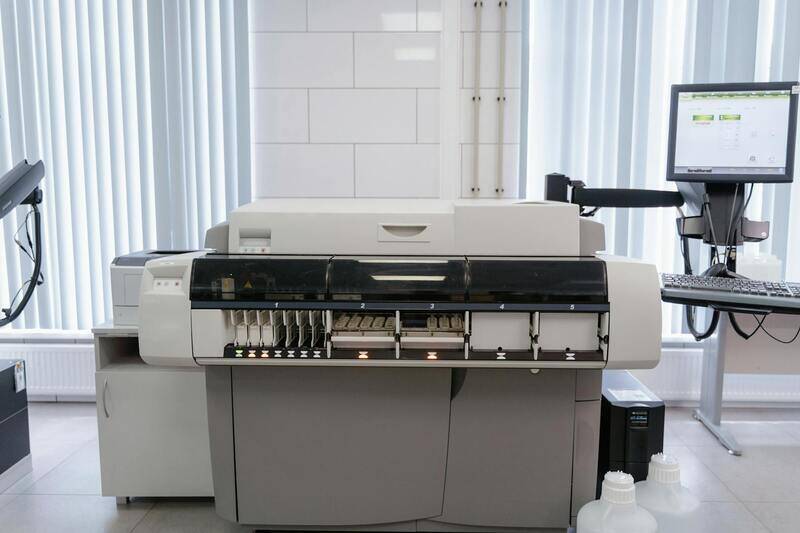
To produce consistent color outputs, manufacturers recommend regular calibration routines involving specific test targets and calibration tools. These routines fine-tune the printer's color reproduction capabilities, preventing divergence over time. Monitoring calibration regularly ensures color accuracy, especially when handling sensitive branding materials or high-stakes print projects.
In addition, sanitizing monitor settings to match characterized color profiles deployed in your calibration process guarantees that digital previews accurately reflect the final printed product. Modern printers often include dedicated calibration software or firmware, which works synergistically with compatible color management systems, creating a reliable workflow from screen to print.
Implementing Workflow Best Practices
- Use Professional Color Profiles: Embed ICC profiles specific to your printer-media combination to guide color rendering.
- Work Within a Controlled Environment: Minimize ambient lighting and temperature fluctuations during calibration sessions and printing processes, reducing inconsistencies caused by external conditions.
- Preview with Color Management Enabled: Always verify color profiles are active and correctly applied in your document editing and print settings before executing large or critical jobs.
- Perform Test Prints: Conduct small-scale test runs to evaluate color fidelity before committing to larger print batches, skipping costly reprints or corrections later.
Keywords for Professional Color Output
- Color Profiles (ICC): Accurate color rendering begins with applying correct ICC profiles during the print setup process.
- Calibration Tools: Regular calibration ensures the software-driven and hardware-driven elements align for predictable results.
- Media Selection: The choice of print media influences vibrancy, sharpness, and overall tone reproduction.
- Color Management Systems: These systems optimize the flow of color data from digital files to print hardware, ensuring consistency and accuracy.
Professional Assistance and Resources
For issues that persist despite rigorous calibration and media verification, turning to certified professional services may be advantageous. They employ advanced equipment, including spectrophotometers and custom profiling tools, to achieve exacting color reproduction for commercial, photographic, or branding projects. Such services often provide proofing options, allowing clients to approve color accuracy before the final run, therefore reducing waste and rework.
When consulting with professional print specialists, communicate your specific color requirements and media preferences clearly, allowing them to tailor production processes accordingly. Ultimately, mastering calibration routines, media choice, and color management techniques fosters a seamless transition from digital design to physical print, ensuring vibrant, accurate, and consistent color output in every project.
